Flower Layers: A Complete Guide to Digital Design Assets
In the rapidly evolving world of digital design and crafting, the demand for high-quality, versatile assets has never been higher. Whether you are a professional graphic designer creating intricate branding materials or a hobbyist looking to add a personal touch to handmade gifts, the right tools can make all the difference. This is where Flower Layers come into play. These digital assets represent more than just simple images; they are foundational elements designed to be manipulated, resized, and integrated into a vast array of creative projects.
The concept of using layered flower designs allows creators to build depth and complexity without starting from scratch every time. By utilizing pre-made layers, users can focus on the artistic vision rather than the tedious process of tracing or drawing individual petals and leaves. This article explores what these assets are, why they are essential for modern creators, and how to maximize their potential in your workflow.
Understanding the Core Concept of Flower Layers
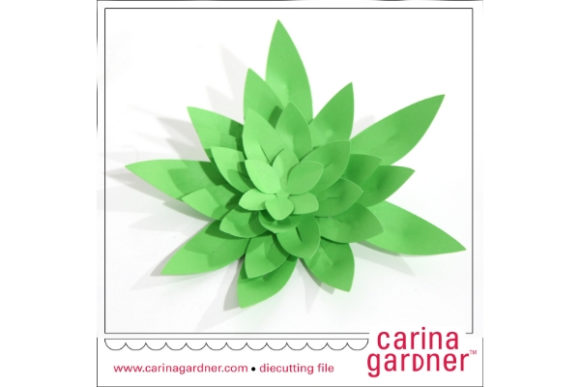
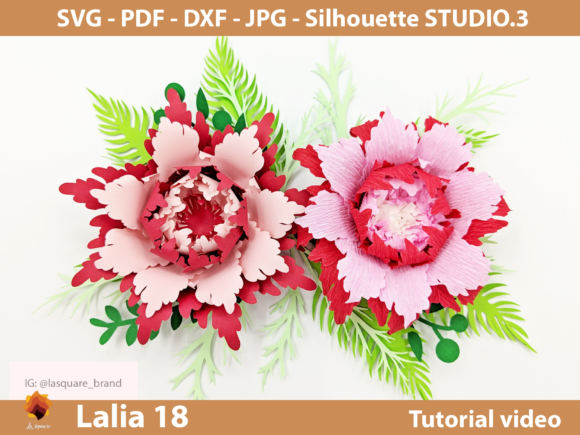
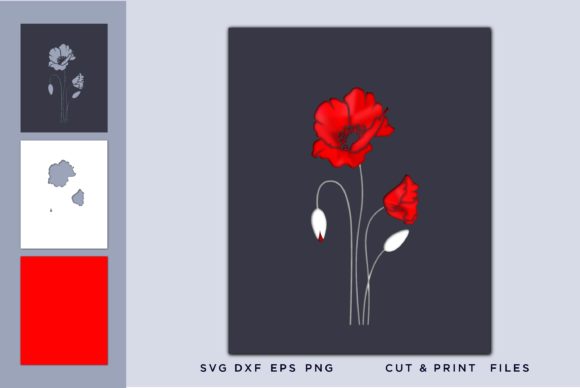
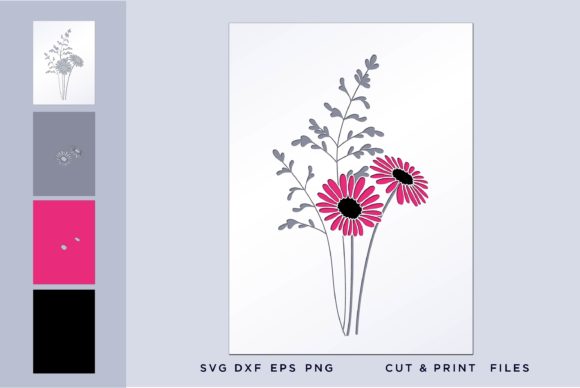
Flower Layers refer to digital graphics that are organized into separate components, allowing for independent manipulation. Unlike a flat image where every pixel is fused together, a layered file enables you to isolate specific parts of the flower—such as the center, the outer petals, or accompanying leaves—and move them, resize them, or change their colors individually. This flexibility is the backbone of professional vector and raster design.
The primary purpose of these layers is to facilitate customization. When working with physical media like vinyl cutters, laser engravers, or embroidery machines, the ability to separate elements is crucial. For instance, if you are designing a custom t-shirt, you might want to cut the flower outline in one color and the background in another. Layered files make this separation possible, ensuring that the final product matches your exact specifications.
The Importance of File Formats in Digital Crafting
One of the most critical aspects of acquiring digital design assets is understanding the file formats available. Not all files are created equal, and choosing the right format can determine the success of your project. The Flower Layers collection typically comes in a comprehensive suite of formats, each serving a specific function:
- SVG (Scalable Vector Graphics): This is the gold standard for cutting machines like Cricut and Silhouette. SVG files are vector-based, meaning they use mathematical equations to define shapes rather than pixels. This ensures unlimited resizing with no quality loss. You can scale a small flower up to the size of a billboard, and it will remain crisp and sharp.
- EPS (Encapsulated PostScript): Similar to SVG, EPS files are vector-based and widely compatible with professional design software. They are excellent for print-on-demand services and large-format printing where precision is key.
- DXF (Drawing Exchange Format): Often used in CAD software and laser cutting applications, DXF files provide precise measurements and paths, making them ideal for industrial manufacturing and architectural modeling.
- PNG (Portable Network Graphics): For those who need raster images, PNGs offer high-resolution graphics at 300ppi with a transparent background. This means there is no white box surrounding your flower, allowing it to blend seamlessly onto any colored surface or digital canvas.
Having access to all these formats in a single download provides unparalleled versatility. It means you can take the same Flower Layers design and use it for a small sticker, a large banner, a website header, or a laser-cut wooden sign without needing to recreate the artwork.
Who Benefits from Using Flower Layers?
The utility of Flower Layers extends across various sectors, catering to a diverse audience ranging from online business owners to DIY enthusiasts.
For Small Business Owners and Entrepreneurs
If you run a home-based business selling personalized items, such as mugs, tote bags, or wall art, time is your most valuable asset. Using pre-designed Flower Layers allows you to create unique products quickly. Instead of spending hours designing a floral pattern, you can import the vector files, adjust the color scheme to match current trends, and send the job directly to your printer or cutter. This efficiency translates to higher profit margins and faster turnaround times for customers.
For Professional Designers
Even experienced designers appreciate the speed and precision of layered assets. When working on complex layouts, having isolated elements allows for rapid experimentation. You can try different arrangements of petals, swap out leaf shapes, or combine multiple flower layers to create entirely new compositions. The availability of SVG vector files ensures that these designs integrate perfectly with industry-standard software like Adobe Illustrator and CorelDraw.
For Hobbyists and Crafters
For those who enjoy crafting as a pastime, Flower Layers open up a world of possibilities. Whether you are making scrapbooks, greeting cards, or holiday decorations, these assets allow you to achieve professional results with minimal technical skill. The inclusion of PNG raster files with transparent backgrounds makes it easy to layer flowers over photos or text in programs like Microsoft Word or Canva.
Practical Applications and Real-World Scenarios
To truly understand the value of Flower Layers, consider how they are applied in real-world scenarios. Imagine you are preparing for a wedding season. You need to create invitations, cake toppers, and table numbers. By purchasing a set of Flower Layers, you can:
- Use the SVG files with a Cricut machine to cut delicate paper flowers for cake toppers.
- Utilize the EPS files to print high-quality floral borders on invitation envelopes.
- Take the PNG images and place them over digital photo backgrounds for social media announcements.
- Employ the DXF files to have laser-engraved wooden frames made for guests' favors.
This multi-purpose capability eliminates the need to buy different assets for different tasks. One purchase covers your entire production line, from digital marketing to physical fulfillment.
Technical Considerations and Compatibility
While the assets themselves are powerful, it is important to understand the technical requirements for using them effectively. All files come in a zipped folder, which helps organize the contents and keep the download size manageable. However, before you begin, ensure you have the necessary software installed.
The files are guaranteed to work with any vector-compatible software, including popular platforms like:
- Silhouette Studio (both Design and Basic editions)
- Cricut Design Space
- Brother's ScanNCut Canvas
- Sure Cuts A Lot
- Make the Cut
- Adobe Illustrator
- CorelDraw
Please note: A basic knowledge of your chosen software is assumed. Understanding how to ungroup layers, change stroke weights, or export files correctly is essential for getting the best results. If you are new to these tools, many online tutorials are available to help you get started with importing vector files.
Digital Ownership and Usage Rights
When purchasing Flower Layers, it is crucial to recognize the nature of the transaction. This is an INSTANT DIGITAL DOWNLOAD ITEM. No physical product will be shipped to you. Once payment is confirmed, you receive immediate access to the files. This instant delivery model offers convenience and eco-friendliness, as there is no packaging waste or shipping emissions.
Because the product is digital, returns are generally not applicable once the download link is accessed. Therefore, it is wise to verify your system compatibility before purchasing. Additionally, while the original images are provided without watermarks, users should always adhere to the license terms regarding commercial use versus personal use.
Maximizing Your Creative Potential
The true power of Flower Layers lies in their adaptability. They are not static images but dynamic building blocks. By combining different layers, adjusting opacity, or altering dimensions, you can create endless variations. This encourages creativity and allows you to develop a signature style without being limited by the initial design.
Whether you are looking to streamline your business operations, enhance your personal craft projects, or simply explore your artistic side, investing in high-quality Flower Layers is a smart decision. With the combination of unlimited resizing capabilities, transparent backgrounds, and broad software compatibility, these assets provide the foundation for successful and professional-looking creations.
As you embark on your next project, remember that the right tools can transform a good idea into a great reality. With Flower Layers in your digital toolkit, the only limit to your creativity is your imagination.